Tuesday, 13 January 2009

Change colour of car rims

This Photoshop tutorial will change the colour of car rims. This effect is great if you don’t like the colour of your rims. You can change the colour to whatever you wish. I used a free stock image of car which is available at: www.sxc.hu

Change colour of car rims

Step 1

Open an image of a car in Photoshop.

Step 2

Create a new layer Ctrl + Shift + N.
Select the Elliptical marquee tool and make a selection around your rim. You may find it easier using the pen tool.


Step 3

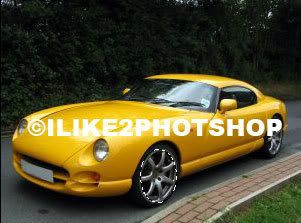
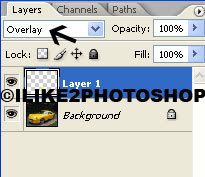
Select the bucket tool and fill in your selected area. I used #f2fc7e colour, but you can use whatever colour you wish. Now set the blending option to overlay. Repeat this for the other wheel.


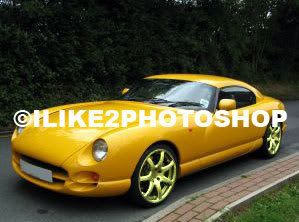
You should now have some nice coloured rims.


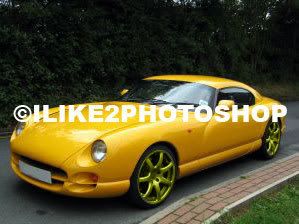
If you want darker rims, set the blending option to colour.


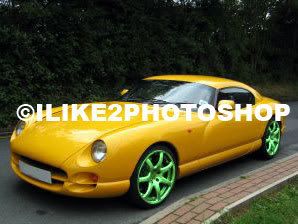
Or why be adventurous and choose an outrageous colour.


Related tutorials
Change colour of any car
Tint car window
Open car window
Undercar lighting

Saturday, 10 January 2009

Sun tan in Photoshop

This Photoshop tutorial will teach you how to create a sun tan effect in Photoshop. This effect uses the quick mask tool and the adjustment curves. I have used a free stock image from www.sxc.hu. You can also create a similar effect with the darker skin tutorial.

Sun tan in Photoshop


Step 1

Open an image in Photoshop.


Step 2

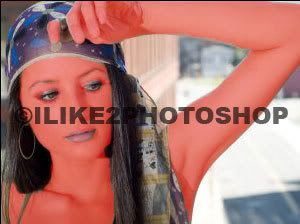
Select the paint brush tool with an appropriate brush size. Then hit Q to enter the quick mask mode. Now carefully paint the areas of the image where you want the sun tan to be, like below:


The areas painted should appear in a red colour. If you make a mistake you can use the eraser tool.


Step 3

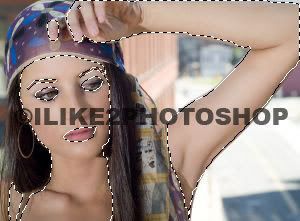
Now exit quick mask mode by hitting the Q key again. Then choose Select > Inverse and your image should look like below:


Step 4

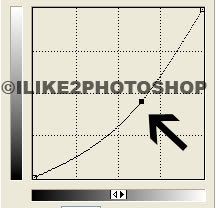
Select Ctrl + J to copy the selection to a new layer. Now Select Image > Adjustment > Curves. Drag the curve from the centre to the right slightly like below. If you want a darker tan you can move the curve further to the right.


You should now have a sun tan.


Related tutorials
Darker skin colour
Change hair shade/tone
Change colour of hair
Whiter teeth

  COPYRIGHT © 2010 · ILIKE2PHOTOSHOP · Theme by Ourblogtemplates

Back to TOP